Category: Google Ads

Expert Google Ads optimization guides, troubleshooting tips, and PPC strategies to reduce wasted spend and improve ROAS.

  • Why is my Google Ads account wasting budget and how do I fix it?

    PPCGoogle AdsMarketing Ops

    If your account is burning budget without predictable results, this operational guide shows where leaks happen and how to stop them this week. Run a quick audit with ExecWrite tools to get data-driven fixes fast: https://execwrite.com

    TL;DR
    • Wasted spend is predictable: poor match control, broken bids, irrelevant search terms, and landing page mismatch are the largest drains.
    • Use a 90-minute triage, a weekly fixes checklist, and two ExecWrite tools (Wastage Snapshot & Search-Term Analyzer) to find and recover wasted budget.
    • Immediate wins: block high-cost-no-conversion terms, fix ad schedules by hour, and align ads to the highest-converting landing pages.

    Why PPC feels harder now

    Higher CPCs, stricter privacy, and platform automation mean blanket rules no longer work. Performance requires surgical fixes: per-search-term intelligence, hour-by-hour adjustments, and landing-page relevance. If you rely on guesses, your budget leaks.

    The 5 biggest PPC problems marketers face

    1. High spend on irrelevant search terms

    Symptoms

    • Lots of clicks but zero or very low conversions from specific queries.
    • Search term reports are long and hard to parse.
    • Negative keyword list grows but damage repeats.

    Why it happens

    Broad matches, insufficient negative keyword coverage, and lack of regular search-term reviews let low-intent queries siphon budget.

    Fix this week

    • Export last 30 days of search terms, sort by cost and conversions.
    • Apply immediate negatives for high-cost/no-convert terms.
    • Pause or tighten broad-match keywords that generate poor queries.

    2. Bids out of sync with time-of-day performance

    Symptoms

    • High CPA during certain hours of the day.
    • Ad schedule defaults that ignore hourly CPA/ROAS swings.
    • Manual bid rules applied at campaign level miss intra-day peaks.

    Why it happens

    Most teams set schedules at the campaign level and assume constant performance. Hourly conversion patterns and competitive activity create big intra-day differences.

    Fix this week

    • Review last 90 days hour-of-day performance for cost and conversions.
    • Increase bids +10–30% for hours with strong ROAS; reduce for loss hours.
    • Apply ad-schedule changes and monitor 48–72 hours.

    3. Landing page mismatch and low conversion rates

    Symptoms

    • Low conversion rate despite high-quality scores.
    • High bounce on paid landing pages, short session duration.
    • Ad copy promises different messaging than the landing page delivers.

    Why it happens

    Automation can optimize for clicks; if landing pages aren’t aligned to ad intent, you pay for traffic that won’t convert.

    Fix this week

    • Map top ad groups to their landing pages and audit message match.
    • Run headline + CTA alignment tests on underperforming pages.
    • Prioritize fixes where CPC is high but conversion rate is < industry average.

    4. Automation hiding performance shifts

    Symptoms

    • Sprints of high spend after algorithmic bidding changes.
    • Difficulty tracing whether conversions are organic or automated-ad driven.
    • Performance fluctuates after attribution changes or feed updates.

    Why it happens

    Automated bidding and portfolio strategies react to signals; without monitoring, they can overreact to short-term noise and chase clicks.

    Fix this week

    • Set guardrails: max CPA/ROAS limits and conservative learning budgets.
    • Enable automated rules to pause or lower bids if CPA exceeds threshold.
    • Audit recent feed or attribution changes that preceded the shift.

    5. Hidden budget leakage (duplicate audiences, mis-tagging)

    Symptoms

    • Audience overlap causing internal auctions and inflated CPCs.
    • Conversion tracking discrepancies between analytics and Ads.
    • Unexpected spend in remarketing or display placements.

    Why it happens

    Small configuration errors in tagging, audiences, or shared budgets create continuous, low-level waste that compounds.

    Fix this week

    • Reconcile conversions across analytics and Ads; fix tracking gaps.
    • Check shared budgets and placement exclusions.
    • Segment audiences to reduce overlap and internal bidding competition.

    Fixes you can apply this week

    • Pull search-term and hour-of-day reports for the last 30–90 days and sort by cost/conversion.
    • Apply negatives for clear no-convert terms and tighten match types for budget-draining keywords.
    • Adjust ad schedule bids based on hourly CPA/ROAS swings (increase for high ROAS, decrease for poor hours).
    • Map ads to landing pages and fix headline/CTA mismatch on the worst-converting paths.
    • Set bid/CPA caps and automated rules to stop runaway spend during learning windows.
    • Reconcile conversion numbers and prioritize fixes for the top 20% of spend sources that drive 80% of waste.
    Run a quick wastage snapshot

    Use the Wastage Snapshot to find top leakage areas and a prioritized recovery plan in minutes.

    Open Wastage Snapshot

    Tool-based workflow: map pain points to ExecWrite tools

    Wastage snapshot dashboard showing waste totals and recovery plan

    Wastage Snapshot & Recovery — what it outputs

    Dashboard-style snapshot showing total wasted spend, top leakage channels, negative keyword opportunities, and a recovery plan summary.

    How to use it in 3 steps

    • Upload your Ads data or connect via CSV and run the snapshot to surface top waste drivers.
    • Review the prioritized recovery plan — it tags high-impact negatives, placements, and campaigns.
    • Export the recovery CSV and apply changes to your account; monitor the impact over 7 days.

    Open the Wastage Snapshot to generate a recovery plan fast.


    Search term analyzer output table showing spend, conversions, tags, and recommended bid actions

    Search Term Analyzer (Bid Adjustment by Search Term) — what it outputs

    Per-search-term table with cost, conversions, recommended bid actions, and tags for quick negatives or bid changes.

    How to use it in 3 steps

    • Load your account search-term report (last 30–90 days) into the analyzer.
    • Review recommended tags: negative, bid-down, bid-up, or keep. Apply batch negatives for high-cost/no-convert terms.
    • Export the recommendations and implement with Ads Editor or bulk uploads; re-run weekly to capture new leaks.

    Open the Search Term Analyzer and reduce wasted clicks.

    Both tools work together: use Wastage Snapshot to prioritize where to look, then the Search-Term Analyzer to act precisely on queries and bids.

    90-minute account triage playbook

    • 0–10 min: Pull top-line metrics (cost, conversions, CPA) and note campaigns with sudden spend spikes.
    • 10–30 min: Run the Wastage Snapshot to get a prioritized leak list (placements, keywords, audiences).
    • 30–50 min: Export search-term report for the worst 3 campaigns; run the Search-Term Analyzer and tag negatives.
    • 50–70 min: Apply immediate negatives and conservative bid caps in Ads Editor for the top 20% spenders.
    • 70–80 min: Adjust ad schedule for any identified bad hours; lower bids for poor-performing hours.
    • 80–90 min: Document changes, set a 48–72 hour check, and schedule the next deep audit (7 days).
    Start your 90-minute triage

    Run the snapshot and search-term tools now to generate a prioritized action list and exportable recovery files.

    Run ExecWrite tools

    FAQ

    How fast will I see results after applying negatives?

    You can see click-rate and immediate CPC changes within hours; conversion and ROAS improvements typically appear in 3–7 days as traffic quality stabilizes.

    Can automation undo manual fixes?

    Yes — automated bidding can re-escalate bids if signals suggest higher conversions. Set guardrails (max CPA/ROAS) and monitor during learning windows.

    Which report should I prioritize?

    Start with search-term by cost and conversions, then hour-of-day performance. These reveal the largest, fastest wins.

    Do I need to connect accounts to use ExecWrite tools?

    Tools accept CSV uploads and direct connections where available. For immediate triage, export data from Ads and upload to the tools.

    Sources

    For hands-on recovery, run the ExecWrite Wastage Snapshot and Search-Term Analyzer: https://execwrite.com
  • Why is PPC Getting Harder—and How Can I Fix Google Ads Performance?

    PPC Google Ads Marketing Ops

    PPC feels like moving targets: less raw signal, more automation, and faster budget leakage. Use quick audits and targeted fixes — or run fast tools at ExecWrite to find and recover wasted spend in hours.

    TL;DR
    • Most PPC performance drops come from wasted spend, broken relevance, and poor time-of-day bidding — these are fixable in a week.
    • Run a fast wastage snapshot and a campaign generator (keywords + structure) to recover budget and rebuild quality at scale.
    • Follow the 90-minute triage playbook to find the top 3 leak sources, apply quick fixes, and deploy structured follow-ups.

    Why PPC feels harder now

    PPC used to be a steady pipeline: keyword -> ad -> landing page -> conversion. Today that chain is blurred by automation, privacy changes, and broader competition for attention. Signals are noisier, attribution is worse, and the cost of experimentation is higher because wasted clicks compound quickly.

    Contributing trends include the decline of third-party tracking, heavier reliance on automated bidding, and more advertisers using similar smart campaigns. Read more about browser privacy changes in the Chrome Privacy Sandbox overview.

    The 5 biggest PPC problems marketers face

    1) Hidden wasted spend

    Symptoms

    • High clicks with minimal conversions in specific campaigns or search terms.
    • Daily spend spikes that don’t move revenue.
    • Ad groups with large impression share but poor ROI.

    Why it happens

    Unchecked search terms, broad match expansion, and stale negative lists let low-intent traffic eat budget while automated bidding amplifies the problem across hours.

    Fix this week

    • Download search term report and tag low-intent terms as negatives.
    • Pause poor-performing SKUs/ad groups, reallocate budget to winners.
    • Audit automated rules and caps — enforce max CPA or ROAS bounds.
    2) Poor ad-to-landing relevance

    Symptoms

    • High CTR but low conversion rate.
    • Quality Score slipping on multiple keywords.
    • Landing page bounce spikes after campaign launches.

    Why it happens

    Marketers iterate ads faster than landing pages. Automation can boost impressions on mismatched creative, but the user experience still determines conversions.

    Fix this week

    • Align top ad headlines with primary landing page H1 and offer.
    • Create one high-intent landing page variant and route traffic for 7 days.
    • Add on-page micro-conversions (chat, micro-form) to capture intent.
    3) Time-of-day and dayparting losses

    Symptoms

    • Big CPA variance by hour or day of week.
    • Automated bids that ignore predictable hourly performance swings.
    • Budget exhausted early in day with poor ROI in prime hours.

    Why it happens

    Most accounts use account-level bidding with limited hour granularity. Without hourly adjustments, bids pay the same for low-value clicks as for high-value moments.

    Fix this week

    • Identify top 4 hours with best CPA/ROAS and set bid multipliers.
    • Reduce bids during low-value hours; shift budget to top-performing slots.
    • Schedule ads to avoid wasteful hours in low-converting campaigns.
    4) Keyword structure chaos

    Symptoms

    • Many keywords in single ad groups; inconsistent match types.
    • Duplicated keywords across campaigns causing internal competition.
    • New campaigns that copy-paste old lists without pruning negatives.

    Why it happens

    Speed often trumps structure. When teams or agencies copy legacy lists, they inherit noise that hides signal and raises CPCs.

    Fix this week

    • Use a generator to create tightly themed ad groups (1 theme = 1 ad group).
    • Standardize match types: exact for winners, phrase for discovery.
    • Remove internal duplicates and enforce a naming convention.
    5) Reporting & attribution gaps

    Symptoms

    • Conversions don’t match backend sales; last-click undercounts revenue.
    • Cross-channel effects are invisible; manual optimizations miss true drivers.
    • Delayed conversion data prevents timely bid adjustments.

    Why it happens

    Privacy changes and server-side or CRM mismatches mean Google’s front-end reporting is no longer the single source of truth for performance decisions.

    Fix this week

    • Compare Google conversions to CRM sales for a rolling 7–14 day window.
    • Implement simple server-side conversion imports if possible.
    • Flag campaigns with delayed conversion patterns and lower bid aggression.

    Fixes you can apply this week

    • Run a focused wastage snapshot for top-spend campaigns and export the leakage report.
    • Pull search term reports and add negatives on low-intent phrases; update match types.
    • Build one landing page variant for your top ad group and test for 7 days.
    • Set conservative hour-of-day bid multipliers after reviewing 30-day hourly CPA trends.
    • Consolidate keywords into tight themes and deploy a campaign CSV for Editor upload.
    Recover wasted budget fast

    Run a quick wastage snapshot to identify the top leakage sources and get an immediate recovery plan.

    Run a snapshot at ExecWrite

    Tool-based workflow: map problems to ExecWrite tools

    Wastage Snapshot & Recovery

    Wastage snapshot dashboard showing waste totals and recovery plan

    What it outputs: A dashboard-style snapshot with total wasted spend, top leakage areas (search terms, campaigns, match-type leaks), and an action plan to recover budget.

    How to use (3 steps):

    1. Upload your Google Ads account export or connect via the tool and select a 30-day window.
    2. Review the snapshot: note top wasted search terms, pause lists, and recommended negative additions.
    3. Apply the recovery plan: add negatives, pause low-ROI ad groups, and reallocate budgets to winners.

    Tool link: Wastage Snapshot & Recovery

    Free Campaign Generator (keywords + structure)

    Campaign generator preview showing ad group structure and keyword lists

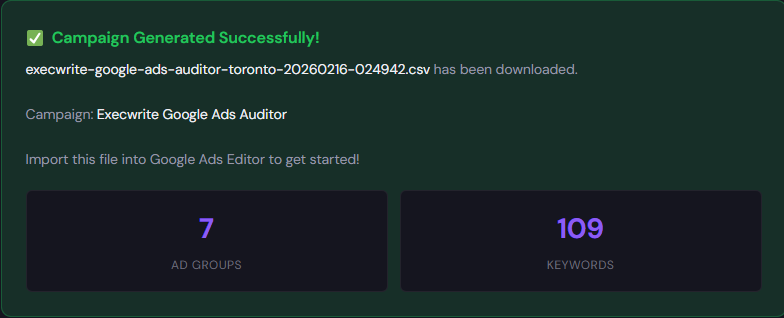
    What it outputs: Export-ready campaign structure: themed ad groups, prioritized keyword lists, suggested match types, and Google Ads Editor CSV.

    How to use (3 steps):

    1. Enter 3–5 landing pages or offers and select your intent level (high/medium/discovery).
    2. Generate themed ad groups and review suggested negatives and headlines.
    3. Export the CSV and import into Google Ads Editor to deploy structured campaigns.

    Tool link: Free Campaign Generator

    90-minute account triage playbook

    1. 0–10m: Open account overview. Filter campaigns by spend (30 days) and note top 5 by cost.
    2. 10–30m: Run search term exports for those top 5 campaigns. Flag terms with clicks but no conversions and add to a negative list.
    3. 30–50m: Run the ExecWrite Wastage Snapshot for a quick leakage summary and copy the top 10 recommendations.
    4. 50–70m: Implement quick fixes: add negatives, pause two worst ad groups, and set conservative hourly bid multipliers for low-value hours.
    5. 70–90m: Use the Campaign Generator to build 1 replacement campaign for a top performer: structured keywords, ad copy, and Editor CSV. Schedule a 7-day check-in.
    Start a fast recovery

    Do the 90-minute triage with tools that output action items, negative lists, and export-ready campaigns.

    Try ExecWrite tools now

    FAQ

    How fast will I see results?

    You should see budget recovery within 3–7 days after applying negatives and pausing wasteful ad groups. Full performance stabilization can take 2–4 weeks as bids and quality scores re-equilibrate.

    Do these tools connect directly to Google Ads?

    ExecWrite accepts account exports and has connectors for faster ingestion. If you can export search term and performance reports, the tools produce action lists you can apply immediately.

    Can I recover spend without rebuilding campaigns?

    Yes — start with negative lists, pause low-ROI ad groups, and apply hour-of-day bid limits. Rebuilding is the next step to sustain improved efficiency.

    Are these tools free?

    ExecWrite offers free generators for keywords and campaign structure; the Wastage Snapshot provides a fast paid recovery plan. Check each tool page for current access details.

    Sources

    Need to stop wasting ad spend and rebuild structure? Run a snapshot and generate a recovery campaign using ExecWrite tools at https://execwrite.com.

  • Why is my Google Ads account wasting spend and missing conversions?

    PPC Google Ads Marketing Ops

    If your account feels like it spends more than it converts, this article gives a technician-first roadmap: the five persistent problems you’ll find, quick fixes you can run this week, and a tool-driven workflow using ExecWrite to recover wasted budget and stabilize performance. For hands-on audits and recovery, start at ExecWrite.

    TL;DR
    • Most wasted spend comes from structural issues: mismatched intent, poor scheduling, and unmanaged search terms.
    • Run a 90-minute triage that finds 3–5 high-impact fixes and reclaims budget fast.
    • Use the ExecWrite Wastage Snapshot and the Search Term Analyzer to produce a recovery plan and prioritized bid actions.

    Why PPC feels harder now

    Platforms change, but the real friction is internal: larger accounts, mixed funnels, and automation that hides the details. Advertisers lean on automated bidding and broad match without a repeatable audit routine. That produces two outcomes: invisible waste (spend that buys no incremental conversions) and fragile wins (improved CPA one week, crash the next).

    This post assumes you want operator-level fixes — checks you can apply in a day and tools to automate the repetitive work. If you need a quick audit dashboard, ExecWrite has templates and tools that speed diagnosis and remediation.

    The 5 biggest PPC problems marketers face

    1. Wasted spend from irrelevant search terms

    Symptoms

    • High cost on search terms with zero conversions or negative intent queries showing high clicks.
    • High impressions but low CTR on broad match campaigns.
    • Slow negative keyword hygiene — repeats of the same bad queries over weeks.

    Why it happens

    Broad match + smart bidding without ongoing search-term management lets the engine explore expensive, irrelevant queries. Automation optimizes for conversion volume, not query relevance, unless you guard it with negatives.

    Fix this week

    • Export last 30–90 days of search terms, sort by spend, and tag non-converting high-cost terms as negatives.
    • Add exact-match variants for high-intent converting terms and move them to tighter ad groups.
    • Pause low-quality broad-match ad groups until negatives are applied.

    2. Poor ad-to-landing-page relevance (Quality Score leaks)

    Symptoms

    • Low or falling Quality Scores on key ad groups.
    • High CPCs or low ad rank despite healthy bids.
    • Landing pages that don’t echo ad headlines or intent.

    Why it happens

    QS is an aggregate signal of expected CTR, ad relevance, and landing page experience. When messaging drifts between ad and landing page, conversion rates fall and costs rise.

    Fix this week

    • Map top-performing ads to their landing pages and update headlines to match the search intent.
    • Run experiments: simple headline/CTA swaps with clear intent alignment.
    • Prioritize pages with the highest traffic but lowest conversion rate for quick copy alignment.

    3. Hour-of-day and dayparting mismatches

    Symptoms

    • Big CPA swings by hour or day, unexplained by seasonality.
    • Budget drained during off-peak hours with poor conversion yield.
    • Ad schedule set broadly with no data-driven adjustments.

    Why it happens

    Accounts often inherit a default ad schedule. Without granular hour and day analysis, you bid into hours that consistently underperform.

    Fix this week

    • Pull hour-of-day performance (cost, conv, CPA) for last 90 days and mark hours with CPA above target.
    • Apply conservative bid adjustments or turn off ads during the worst hours.
    • Monitor for a full week and iterate.

    4. Duplicate or poorly structured campaigns

    Symptoms

    • Multiple campaigns competing for the same keywords or audiences.
    • Confusing priority settings (brand vs nonbrand) causing bid conflicts.
    • Difficulty attributing conversions to a single source.

    Why it happens

    Rapid scaling and multiple operators create overlapping campaigns. Overlap reduces control and increases CPCs because your campaigns bid against themselves.

    Fix this week

    • Run an overlap report between campaigns and pause redundant or legacy structures.
    • Define clear naming conventions and priorities (brand/exact > nonbrand/broad).
    • Move high-intent terms into single-purpose campaigns for better bidding.

    5. Slow negative keyword and waste recovery processes

    Symptoms

    • Known negatives are not applied account-wide.
    • Ad hoc fixes recur because there’s no reusable recovery plan.
    • Time-to-fix is days or weeks, not hours.

    Why it happens

    Teams fix symptoms rather than codify fixes. Without a recovery snapshot and a playbook, wasted spend returns.

    Fix this week

    • Create a negative keyword list for common waste and apply it across relevant campaigns.
    • Document a weekly search-term review slot and assign ownership.
    • Use tooling to automate detection of repeat offenders.

    Fixes you can apply this week

    • Export last 90 days of search terms, sort by spend, and add the top 20 non-converting queries to negatives.
    • Identify 3 landing pages with high traffic + low CR and align headlines to match the top 5 converting queries.
    • Pull hour-of-day CPA and apply -30% to worst hours; monitor for seven days.
    • Consolidate overlapping campaigns identified in your campaign overlap report.
    • Create an account-wide negative list for recurring waste and publish it organizationally.
    Recover wasted spend in under an hour

    Run the ExecWrite Wastage Snapshot to get a prioritized leak list and recovery plan for your account. Use the Search Term Analyzer to convert the plan into negatives and bid actions.

    Start a recovery snapshot at ExecWrite

    Tool-based workflow: map problems to ExecWrite tools

    We focus on two tools that give maximum reach: the Wastage Snapshot for fast recovery and the Search Term Analyzer for negative hygiene and bid actions.

    ExecWrite: Wastage Snapshot & Recovery

    Wastage Snapshot preview showing waste totals and recovery plan

    What it outputs: a dashboard-style snapshot of wasted spend, top leakage areas, and a prioritized recovery plan with recommended negatives and budget reallocation steps.

    How to use it (3 steps):

    1. Upload your account data or connect via API to generate the snapshot.
    2. Review the top 5 leakage areas (search terms, campaigns, audiences) and export the recovery checklist.
    3. Apply the recommended negatives and budget moves; re-run the snapshot next week to validate impact.

    Preview images show the waste totals and recovery plan that your team can assign and track. Use the snapshot to create a repeatable weekly audit.

    Open the Wastage Snapshot

    ExecWrite: Search Term Analyzer (Bid Adjustment by Search Term)

    Search term analyzer output table showing spend, conversions, tags, and recommended bid actions

    What it outputs: a search-term table with spend, conversions, tags (negative candidate vs convert), and recommended bid adjustments, plus CSVs for Editor upload.

    How to use it (3 steps):

    1. Export search-term data from Google Ads and import to the Search Term Analyzer.
    2. Tag high-cost non-converting queries as negatives; tag high-intent converts as exact-match candidates.
    3. Export the CSV and push changes through Google Ads Editor or apply recommendations in bulk via the tool.

    Open the Search Term Analyzer

    90-minute account triage playbook

    Run this sequence with a single operator and one sheet. Aim for quick, irreversible wins.

    1. Minute 0–10: Snapshot. Run the ExecWrite Wastage Snapshot to get a prioritized list (waste totals, top leakage areas).
    2. Minute 10–30: Search-term triage. Export top 200 search terms by spend; tag top 20 non-converting queries as negatives using the Search Term Analyzer.
    3. Minute 30–45: Hour analysis. Pull hour-of-day report and apply bid adjustments or pause worst hours for the week.
    4. Minute 45–60: Landing page triage. Pick the top 3 high-traffic, low-CR pages. Update headlines to match the top queries and launch A/B tests.
    5. Minute 60–75: Campaign structure. Identify overlapping campaigns; pause or rename redundant ones and apply an account-wide negative list.
    6. Minute 75–90: Document actions and schedule a 7-day validation. Re-run the Wastage Snapshot to measure immediate impact and export changes for handoff.

    FAQ

    How fast will I see savings?

    You can stop obvious waste in hours; measurable CPA improvements usually appear within 7–14 days after negatives and schedule changes are applied.

    Will adding negatives hurt traffic?

    Properly applied negatives reduce irrelevant clicks without harming high-intent traffic. Start with high-cost, zero-conversion terms and monitor traffic shifts.

    Can automated bidding handle this for me?

    Automation helps but needs clean inputs. Use tooling to fix structural issues first; then allow automated strategies to operate on higher-quality signals.

    What if I don’t have API access?

    ExecWrite accepts data uploads and exports. Run the Wastage Snapshot via CSV and use the Search Term Analyzer with exported search-term reports.

    Run a fast recovery audit

    Start your triage with ExecWrite to produce a prioritized recovery plan and executable CSVs. Reclaim wasted spend and lock in quality improvements.

    Run an ExecWrite audit now

    Sources

  • Why is my PPC performance slipping in Google Ads?

    PPCGoogle AdsMarketing Ops

    If your account feels like it’s slowly leaking ROI, this playbook gives operator-level steps to find and fix the three most common sources of decline — wasted spend, bid drift, and relevance gaps — and includes a tested tool workflow from ExecWrite to speed recovery.

    TL;DR
    • Quick audit: run a waste snapshot, check hour-of-day swings, and scan search term leakage.
    • Three fixes this week: stop bad spend, tighten keyword/ad relevance, and apply time-based bid controls.
    • Use two ExecWrite tools (Wastage Snapshot & Bid Adjuster) to produce an actionable recovery plan in one session.

    Why PPC feels harder now

    Higher CPCs, more automation noise, and audience fragmentation mean the old fixes don’t scale. The symptoms are familiar: rising CPA, flat ROAS, and a messy account structure that feeds waste into automated bidding. This article focuses on the operational fixes that work now — tangible checks you can run in hours, not vague strategy shifts.

    The 5 biggest PPC problems marketers face

    Pain 1 — Wasted spend from irrelevant search terms

    Symptoms

    • High impressions on low-quality searches with zero conversions.
    • Broad match campaigns driving most clicks instead of high-intent queries.
    • Negative keyword lists are incomplete or unmanaged.

    Why it happens

    Automation and broad match expansion generate volume but also noise. Without regular search term audits, low-intent queries erode budgets and confuse bidding models.

    Fix this week

    • Export search terms for top-spending campaigns (90 days).
    • Tag any term with 0 conversions and >X spend as immediate negative (define X by budget; typically 2–5% of total).
    • Create a watchlist for near-converting terms to turn into exact/phrase keywords.

    Pain 2 — Bid drift and hour-of-day swings

    Symptoms

    • CPA spikes at specific hours or weekdays.
    • Automated bid strategies frequently target poor-performing windows.
    • Ad scheduling is limited or not data-driven.

    Why it happens

    Many teams set broad ad schedules or rely solely on machine-learned bidding without feeding it clean hour-level signals. The result: bids rise when conversion probability is low.

    Fix this week

    • Pull hour-of-day performance for conversions and CPA for the last 60–90 days.
    • Apply -30% to -50% bid modifiers to the worst-performing hours; +10–20% to the best.
    • Monitor performance for 7 days and iterate.

    Pain 3 — Landing page relevance and Quality Score decay

    Symptoms

    • CTR and conversion rate both falling despite constant traffic levels.
    • Quality Score drops across several ad groups.
    • High bounce rates coming from paid landing pages.

    Why it happens

    Creative and messaging drift — ads no longer match landing pages. Search intent changes faster than copy updates, and Quality Score takes the hit.

    Fix this week

    • A/B test headline and hero messaging to restore ad-to-page relevance.
    • Align top 10 keywords per ad group with on-page H1/H2 and CTA text.
    • Add a quick variant landing page for the worst-performing ad groups.

    Pain 4 — Overbroad campaign structure

    Symptoms

    • Single campaigns with dozens of unrelated keywords and mixed intent.
    • Poor ad relevance and confusing automated bidding signals.
    • Difficulty tracing performance to a single driver.

    Why it happens

    To save time, teams lump keywords together. That convenience creates mixed signals for automation and hides the real winners.

    Fix this week

    • Split top-spending campaigns into narrower intent buckets (commercial vs. info).
    • Create dedicated ad groups for top-converting terms with bespoke ads and landing pages.
    • Export ad relevance and QS by ad group to validate splits.

    Pain 5 — Attribution and conversion tracking noise

    Symptoms

    • Conversions jump or drop after tracking changes; ROAS looks unstable.
    • Offline or cross-channel conversions aren’t stitched to paid clicks.
    • Lead quality doesn’t match conversion counts.

    Why it happens

    Tracking changes, misconfigured goals, and incomplete data imports create a false picture. Bidding models optimize for flawed signals and perform poorly.

    Fix this week

    • Audit conversion actions: ensure consistent naming, values, and attribution windows.
    • Map top revenue sources to conversions and disable ambiguous actions used by bids.
    • Validate tag firing and server-side imports on a sample of leads.

    Fixes you can apply this week

    • Run a quick waste scan (search terms + negative additions) and remove the top 10 waste drivers.
    • Apply hour-of-day bid adjustments based on 60–90 day data.
    • Split high-spend mixed campaigns into focused buckets and rewrite ads to match intent.
    • Run a landing page relevance check for top 20 ad groups and deploy quick headline variants.
    • Validate conversion actions and attribution windows; pause any noisy goals used for bidding.
    Run a fast account snapshot

    Use ExecWrite’s Wastage Snapshot to find top leakage areas and generate a recovery checklist you can act on in hours.

    Run a Snapshot at ExecWrite

    Tool-based workflow

    Below are two lightweight tools from ExecWrite that let you turn the fixes above into repeatable outputs. Each tool block shows what it produces and a three-step use path.

    Wastage Snapshot & Recovery

    Wastage snapshot showing waste totals and recovery plan

    What it outputs: A dashboard-style snapshot listing total wasted spend, top leakage areas (search terms, budgets, campaigns), and a prioritized recovery plan with quick negative keyword exports.

    How to use it — 3 steps

    1. Upload your account export (or connect via the guided workflow) and run the snapshot.
    2. Review the waste ranking and export the top negative keyword list and recovery tasks.
    3. Apply negatives, pause the worst campaigns, and schedule a 7-day monitoring sprint.

    Open Wastage Snapshot

    Bid Adjustment by Search Term (Search Term Analyzer)

    Search term analyzer output table showing spend, conversions, tags, and recommended bid actions

    What it outputs: A ranked table of search-term performance with spend, conversions, tags (negative/keep/test), and recommended bid actions by term or group.

    How to use it — 3 steps

    1. Export search terms for your high-spend campaigns (90 days) and upload to the analyzer.
    2. Apply the analyzer’s tags: negative for waste, keep/test for near-converters, and suggested bid adjustments for high-intent winners.
    3. Push negatives and bid recommendations back into the account (or via Editor) and monitor the delta in 7 days.

    Open Search Term Analyzer

    90-minute account triage playbook

    A timed checklist to triage an underperforming account and produce an immediate recovery plan.

    • 0–10 min: Pull account spend, conversions, top campaigns, and top search terms (last 60–90 days).
    • 10–30 min: Run Wastage Snapshot and export the top 10 negative candidates and the recovery summary.
    • 30–50 min: Upload search terms to Search Term Analyzer and tag the top 50 noisy terms.
    • 50–70 min: Apply negatives, implement ad schedule bid modifiers (based on analyzer + hour data), and pause top waste campaigns.
    • 70–90 min: Create a recovery action list with owners and a 7-day monitoring plan. Share results and next steps with stakeholders.
    Start the 90-minute triage

    Use ExecWrite’s tools to automate the waste scan and bid recommendations — save hours of manual triage and get a prioritized plan.

    Start a Snapshot at ExecWrite

    FAQ

    How fast will I see improvement after applying negatives?

    Expect initial efficiency gains within 3–7 days as the account stops spending on non-converting queries; full performance stabilization usually takes 2–4 weeks as bidding models re-learn.

    Do I need to pause automated bidding when making these changes?

    Not necessarily. Apply changes in stages: negative/structure fixes first, then let automated bids run on cleaner signals. Pause bids only if you see extreme volatility or if tracking is broken.

    What data window should I use for hour-of-day analysis?

    Use 60–90 days to smooth weekly patterns but exclude major seasonality spikes. For new campaigns, use at least 30 days and supplement with daypart tests.

    Can these tools identify landing page Quality Score issues?

    Yes. The Wastage Snapshot highlights relevance gaps and the Quality Score optimizer suggests headline and landing page changes to restore ad-to-page alignment.

    Sources

  • Why is my Google Ads underperforming? PPC triage and fixes

    PPCGoogle AdsMarketing Ops

    Performance slides, budgets burn, and bidding feels random. This guide shows pragmatic diagnostics and fixes you can apply in a week, plus how ExecWrite tools speed the work. Try the tools at ExecWrite for instant, actionable outputs.

    TL;DR
    • Most underperformance traces to wasted spend, poor match between ads and landing pages, and bid timing—fix these first.
    • Run a waste snapshot and search-term analysis to get prioritized fixes you can apply this week.
    • Use the 90-minute triage playbook to stabilize CPA/ROAS and create quick wins before longer optimizations.

    Why PPC feels harder now

    Three structural shifts make managing paid media more demanding: automated bidding obscures signals, audience overlap and keyword creep inflate costs, and cross-channel attribution hides where conversions actually come from. Those changes increase noise and make tactical wins feel temporary unless you pair diagnostics with surgical fixes.

    The 5 biggest PPC problems marketers face

    1) Wasted spend and low signal

    Symptoms

    • High impression volume but low conversion rate.
    • Large spend on branded/irrelevant queries with zero conversions.
    • Exploding cost per click (CPC) without corresponding lift in leads.

    Why it happens

    Broad match expansion, poor negative keyword lists, and unchecked query-level waste create noise that undermines automated bidding. The result: your bid strategy chases impressions instead of conversions.

    Fix this week

    • Run a waste snapshot to identify top leakage areas by spend and low-value queries.
    • Pause or tighten broad match keywords showing high cost and zero conversions.
    • Add top wasting queries to negatives and exclude low-intent placements.

    2) Poor search-term hygiene (keyword cannibalization)

    Symptoms

    • One keyword group triggers for dozens of intent signals (informational vs. transactional).
    • Multiple ad groups compete for the same queries, raising CPCs.
    • High spend on queries that should be negative or in a separate funnel.

    Why it happens

    Loose keyword structures and lack of query-level review let the account fragment. That fragmentation confuses bidding and reporting and blocks precise audience targeting.

    Fix this week

    • Export last 90 days of search terms and flag high-spend, low-conversion queries.
    • Reassign queries into intent-based ad groups; add negatives where necessary.
    • Use a search-term analyzer to generate recommended bid actions and tags.

    3) Timing and ad-schedule mismatches

    Symptoms

    • Huge hourly swings in CPA or ROAS.
    • Conversions concentrate in narrow windows but bids stay flat.
    • Budget burns during low-conversion hours.

    Why it happens

    Default ad schedules and daily budgets ignore hour-of-day performance. Without dayparting, you overbid when traffic is cheap but unproductive and underinvest when buyers convert.

    Fix this week

    • Run an hourly performance report and identify 3 best and 3 worst hours.
    • Reduce bids during low-conversion hours and increase when conversion rate spikes.
    • Set ad schedule modifiers or use an hourly bid adjuster for precise actions.

    4) Landing page mismatch and declining conversion rate

    Symptoms

    • CTR is stable but conversion rate falls.
    • High bounce rates on paid landing pages for specific ads or keywords.
    • Quality Score drops tied to ad-to-LP relevance.

    Why it happens

    Ads promise something different than the landing page delivers. That mismatch kills conversion rates and pushes up CPA, even if clicks look healthy.

    Fix this week

    • Audit top-converting keywords and check ad headline/LP alignment.
    • Run targeted landing copy tests focused on headline and CTA alignment.
    • Use a quality-score optimizer to get prioritized headline and LP changes.

    5) Over-reliance on automated bidding without clean inputs

    Symptoms

    • Bidding cycles produce unstable CPA/ROAS after small account changes.
    • Simulated bid changes show little predicted improvement.
    • Difficulty explaining performance to stakeholders.

    Why it happens

    Automated strategies require reliable signals. If your account has mixed-intent ad groups, noisy search terms, or unfiltered conversions, automation amplifies the problems instead of fixing them.

    Fix this week

    • Stabilize signals: clean conversions, fix tracking issues, and tidy ad groups.
    • Switch problematic ad groups to manual or portfolio strategies while you clean inputs.
    • Document changes and measure impact before re-enabling full automation.

    Fixes you can apply this week

    • Run a wasted-spend snapshot to get a prioritized leakage list and recovery steps.
    • Export and tag search terms; promote high-intent queries, add low-intent negatives.
    • Implement simple daypart bid adjustments for three worst and three best hours.
    • Align top 10 ad headlines to landing-page headlines; launch two A/B tests.
    • Stabilize conversions: verify tracking and remove low-value conversion events from bidding targets.
    Run a quick recovery snapshot

    Get a prioritized waste audit and recovery plan in minutes — targeted at the exact leakages that increase CPA.

    Start a snapshot at ExecWrite

    Tool-based workflow (map each pain point to ExecWrite tools)

    Wastage Snapshot & Recovery

    Wastage snapshot preview showing waste totals and top leak areas

    What it outputs: A dashboard-style snapshot showing total wasted spend, top leakage areas (search terms, campaigns, placements), and a prioritized recovery plan you can action immediately.

    How to use it — 3 steps

    • Upload your account CSV or connect via supported export and run the snapshot.
    • Review top leakage items and apply the suggested negatives/pauses for instant savings.
    • Export the recovery plan and implement changes in Google Ads; re-run snapshot after 7 days to measure impact.

    Open the Wastage Snapshot & Recovery tool

    Search Term Analyzer (Bid Adjustment by Search Term)

    Search term analyzer output table showing spend, conversions, tags, and recommended bid actions

    What it outputs: A query-level table that tags terms by intent, shows spend/conversion metrics, and recommends bid actions or negative keywords.

    How to use it — 3 steps

    • Feed the last 30–90 days of search-term data into the analyzer.
    • Approve tag suggestions and apply recommended bid adjustments or negatives.
    • Deploy changes and monitor hourly/weekly impact; iterate on newly uncovered queries.

    Open the Search Term Analyzer

    Both tools work together: run the Wastage Snapshot first to prioritize where to focus, then use the Search Term Analyzer to execute precise query-level fixes and bid actions.

    90-minute account triage playbook

    1. 0–10 min: Pull top-level KPIs (last 7/30/90 days): spend, conversions, CPA/ROAS, and top 20 spenders.
    2. 10–30 min: Run Wastage Snapshot to identify urgent leakage (top 10 waste items).
    3. 30–50 min: Export search terms for the top 5 leaking campaigns and run Search Term Analyzer.
    4. 50–70 min: Apply immediate actions—pause low-value keywords, add negatives, implement 3-hour bid modifiers for worst hours.
    5. 70–90 min: Fix tracking/Conversions: confirm conversion settings, remove low-value events, document changes and set a 7-day review.
    6. Deliverable: A one-page recovery plan with expected savings and next steps for A/B tests and larger structural fixes.
    Start the triage with ExecWrite

    Run the two tools above to produce the exact lists and bid actions you need to stabilize performance now.

    Run tools at ExecWrite

    FAQ

    How fast will I see improvements?

    Immediate savings from pausing wasteful queries can appear in 24–72 hours. Bid and landing-page changes typically take 7–14 days to stabilize so you can measure true impact.

    Can automated bidding coexist with these fixes?

    Yes. Clean inputs make automated bidding effective. Use manual controls on problematic groups while you fix signal quality, then re-enable automation gradually.

    Do I need to connect live accounts to run these tools?

    ExecWrite accepts exports and direct account data depending on the tool. Use CSV exports if you prefer not to connect live accounts; the tools accept standard Google Ads reports.

    Will these tools change my account structure automatically?

    No. Tools generate prioritized recommendations and export actions. You control which changes to implement in Google Ads; exported CSVs speed bulk uploads and Google Ads Editor workflows.

    Sources

    Ready to stop guessing and start recovering wasted spend? Run the snapshot and search-term analyzer at ExecWrite to get prioritized, export-ready actions.

  • Why is my PPC getting more expensive—and how do I fix it?

    PPC Google Ads Marketing Ops

    Rising CPCs and flat conversions are symptoms, not destiny. This post shows operator-level diagnostics and fixes you can run this week — including tools on ExecWrite to automate the boring parts.

    Why your PPC costs are climbing — TL;DR
    • Wasted spend, misaligned intent, and automation settings are the fastest levers to pull.
    • Run a waste snapshot, prioritize negative keywords, and tune bids by hour and search term this week.
    • Use targeted tools (waste recovery + search-term bid actions) to convert triage into measurable savings.

    Why PPC feels harder now

    Paid media is doing more with less forgiving signals. Competition pushes CPCs up, privacy changes reduce conversion signal fidelity, and smart bidding can both help and hide problems. The result: higher spend, slower troubleshooting, and longer time-to-impact on fixes. Fixes must be surgical — not broad budget slashes.

    The 5 biggest PPC problems marketers face

    1) Wasted spend from irrelevant or low-intent queries

    Symptoms

    • High spend with low conversions for many search terms.
    • Large number of clicks coming from queries that don’t match offer intent.
    • Conversion rate that drops when impressions rise.

    Why it happens

    Search term growth, broad match expansion, and automated match types surface lots of irrelevant traffic. If negative keywords aren’t catching up, you pay for clicks that never convert.

    Fix this week

    • Export last 30–90 days of search terms and sort by spend and CPA.
    • Identify top 10% of spend that produces zero conversions and add as negatives.
    • Pause or reduce bids on broad-match heavy ad groups until negatives are applied.

    2) Automation hiding core problems (smart bidding overconfidence)

    Symptoms

    • Performance drift after switching to a bid strategy.
    • Bid strategy recommends higher spend into inefficient segments.
    • Ad groups with volatile daily CPA/ROAS.

    Why it happens

    Automated bidding optimizes to the signals it sees. If signals are noisy or your account has leakage, the algorithm raises bids to chase volume that isn’t profitable.

    Fix this week

    • Temporarily switch high-variance ad groups to manual CPC with portfolio exclusions.
    • Segment campaigns by intent so automation targets consistent buckets.
    • Audit conversion actions and match types feeding smart bidding.

    3) Hourly/dayparting inefficiencies

    Symptoms

    • Large CPA/ROAS swings by hour of day.
    • Ad schedule set-and-forget from initial launch.
    • Budget exhausted early in the day with no conversions later.

    Why it happens

    Performance patterns change by audience behavior and competitor activity. Without regular hour-level checks, you bid the same at 2am as at peak business hours.

    Fix this week

    • Pull hour-of-day performance for cost, convs, CPA, and ROAS.
    • Reduce bids for consistently poor hours and reallocate budget to top-performing slots.
    • Apply bid adjustments or ad schedule changes and monitor 48 hours for lift.

    4) Landing page mismatch and Quality Score leaks

    Symptoms

    • Low Quality Scores on headline/landing page relevance.
    • High impressions but low click-through or high bounce rate.
    • Conversion rate falls after creative or landing page changes.

    Why it happens

    Ads promise something the landing page doesn’t deliver. Even small messaging mismatches cause QS drops and higher CPCs.

    Fix this week

    • Run a headline-to-landing-page relevance check for top 5 ad groups.
    • Adjust headlines to reflect primary offer and ensure landing page has matching H1 and CTA.
    • Test a high-intent landing page for worst-performing ad groups.

    5) Poor keyword/ad group structure

    Symptoms

    • Noisy broad-match ad groups mixing intents.
    • Single ad group with too many keywords and conflicting ads.
    • Difficulty isolating what drives CPA increases.

    Why it happens

    Accounts grow without refactor. Granularity is sacrificed for convenience and the result: bad data and weak signals for bidding and creatives.

    Fix this week

    • Export keyword lists and group by intent; split high-spend buckets into dedicated ad groups.
    • Create single-intent ad groups (exact/phrase) for top-converting keywords.
    • Match creative to each ad group’s intent and measure for 7–14 days.

    Fixes you can apply this week

    • Run a spend-by-search-term audit and add negatives for top wasted queries.
    • Run an hour-of-day bid review and apply ad schedule adjustments.
    • Isolate problematic campaigns from automation and run manual CPC tests.
    • Split broad ad groups by intent and align headlines to landing pages.
    • Prioritize fixes that recover immediate spend (negatives, bid cuts, pause low-intent keywords).
    Recover wasted spend faster

    Run an automated waste snapshot and turn the results into negative keywords and recovery actions.

    Start a recovery snapshot on ExecWrite

    Tool-based workflow: map problems to ExecWrite tools

    Wasted spend & recovery — Wastage Snapshot & Recovery

    Wastage snapshot preview

    What it outputs

    • Dashboard-style snapshot of top leakage areas, wasted spend totals, and prioritized recovery actions.

    How to use it in 3 steps

    1. Run a snapshot for the last 30–90 days to surface top waste buckets.
    2. Export the suggested negative keyword list and recovery plan.
    3. Apply negatives and track spend reduction over the following 7 days.

    Open the Wastage Snapshot & Recovery tool

    Tighten bids by search term — Bid Adjustment by Search Term

    Search term analyzer output table showing spend, conversions, tags, and recommended bid actions

    What it outputs

    • A table of search terms with spend, conversions, CPA, and recommended bid actions (increase/decrease/pause).

    How to use it in 3 steps

    1. Upload search term data or connect your account and filter to the last 30–90 days.
    2. Review recommended bid adjustments and tag terms as negative/low-bid/high-priority.
    3. Export the actions and push them to Google Ads or implement via Editor.

    Open the Search Term Analyzer

    90-minute account triage playbook

    1. 0–15 min: Snapshot top-line metrics — cost, conversions, CPA by campaign. Flag campaigns up >20% cost with flat conversions.
    2. 15–35 min: Run a wastage snapshot and export top wasted terms. Add immediate negatives for top spend/no-conv terms.
    3. 35–60 min: Run search-term analyzer and apply bid reductions for high-CPA terms; tag high-intent winners.
    4. 60–75 min: Check hour-of-day performance and apply ad schedule edits for the worst hours.
    5. 75–90 min: Pause or isolate noisy automation-driven groups and set manual CPC for a 7–14 day test.
    6. Post-triage: Document actions, expected impacts, and schedule a 48–72 hour check for early signals.
    Run the playbook with ExecWrite

    Start a free snapshot, run the search-term analyzer, and convert outputs into account actions without the spreadsheet grind.

    Use ExecWrite to accelerate triage

    FAQ

    Do I need to pause smart bidding to fix rising costs?

    Not always. Start by fixing signal quality (negatives, conversion accuracy) and isolating only the worst-performing campaigns. If automation continues to chase bad traffic, then test manual CPC on those groups.

    How often should I run a wastage snapshot?

    Run a full snapshot monthly and quick scans weekly for high-spend campaigns. Use snapshots after any major match-type or campaign structure change.

    Will adding negative keywords reduce volume?

    Yes, but that’s the point: remove low-intent clicks that waste budget and improve conversion rates for remaining traffic, which in turn lowers CPA and improves bid strategy signals.

    How quickly will bid adjustments show results?

    Bid changes can affect CPC and spend immediately; expect clearer conversion signal within 48–72 hours. Use short tests and monitor daily to avoid overreacting to noise.

    Sources

  • Why is my Google Ads performance slipping? A practical PPC triage & quick-recovery guide

    PPCGoogle AdsMarketing Ops

    If your Google Ads numbers feel unstable—rising CPA, falling CVR, or weird spend spikes—you need a surgical, time-boxed triage approach, not another vague strategy doc. This article lays out exact symptoms, fast fixes, and a tool-backed workflow (useful with free tools at ExecWrite) to stop waste and restore performance.


    TL;DR — What to do first
    • Run a wasted-spend snapshot and search-term analyzer to map leaks (30 minutes).
    • Apply dayparting/bid adjustments and kill top wasting queries (30 minutes).
    • Follow a 90-minute triage playbook to prioritize recovery actions and reallocate budget.

    Why PPC feels harder now

    Advertisers face more automation, less query visibility, and rising CPCs. Machine learning helps—but also masks root causes. Teams get pulled into reactive tweaks instead of focused recovery work. You need deterministic checks and tool outputs that convert into one-click fixes.

    The 5 biggest PPC problems marketers face

    1. Rising CPA with no clear origin

    Symptoms

    • Conversions flatten while cost increases.
    • ROAS drops across campaigns simultaneously.
    • Reports show more clicks but lower conversion rate.

    Why it happens

    Shifted user intent, budget drift into low-value queries, or automated bids chasing volume without conversion signals can all lift CPA. Often the root is leakage into low-intent search terms or ad/landing mismatch.

    Fix this week

    • Export top-spend search terms and tag by intent.
    • Pause or add negatives for low-intent/high-cost queries.
    • Restrict broad-match expansion until you verify intent.

    2. Wasted spend in long-tail queries

    Symptoms

    • Hundreds of low-volume queries consume a disproportionate share of budget.
    • Search terms with clicks but zero conversions stack up.
    • Negative keyword lists aren’t reducing wasted clicks.

    Why it happens

    Broad or smart match settings and aggressive phrase expansion surface irrelevant long-tail queries. Without a systematic analyzer, these leaks compound slowly.

    Fix this week

    • Run a search-term analyzer and export high-cost, zero-conversion terms.
    • Add those as negatives at campaign or account level.
    • Convert repeat-waste terms into blocked lists for automation rules.

    3. Poor ad-to-landing-page relevance (low conversion rate)

    Symptoms

    • High CTR but low CVR on specific ad groups.
    • Quality Score drops or fluctuates.
    • Landing page bounce rate spikes after changes.

    Why it happens

    Creative or landing-page changes can desynchronize messaging. Ads attract clicks but the landing page fails to deliver the expected intent or offer.

    Fix this week

    • Audit top ad groups for headline and offer mismatch.
    • Use a landing-page rewriting checklist to align headlines and CTAs.
    • Run A/B tests on the highest-traffic ad group first.

    4. Hourly/daily performance swings

    Symptoms

    • CPA significantly better or worse at certain hours.
    • Automated bidding underperforms during peak hours.
    • Ad schedule cannot be easily tuned at scale.

    Why it happens

    Performance often follows predictable daily patterns. Without granular hour-of-day analysis you either miss opportunity windows or overspend when conversions are scarce.

    Fix this week

    • Pull hour-of-day metrics for cost and conversions.
    • Apply conservative bid adjustments for low-performance hours.
    • Increase bids in conversion-rich windows and monitor for 48 hours.

    5. Tracking and attribution gaps

    Symptoms

    • Discrepancies between Analytics and Ads conversion numbers.
    • Offline conversions not flowing back into Ads.
    • Conversion value attribution seems inconsistent.

    Why it happens

    Broken tags, misconfigured conversion actions, or differences in lookback windows create noisy signals that break bidding and reporting.

    Fix this week

    • Verify gtag/GA4 events and Ads conversion actions.
    • Reconcile a single conversion metric across platforms for 7 days.
    • Pause automated bid strategies if conversions are undercounted until fixed.

    Fixes you can apply this week

    • Step 1: Run a wastage snapshot to quantify leaked spend by campaign and query.
    • Step 2: Export search-term detail and tag by intent using a search-term analyzer.
    • Step 3: Add negatives, pause poor-performing queries, and adjust ad schedule by hour.
    • Step 4: Align top ad headlines to landing pages and run targeted A/B tests.
    • Step 5: Reconcile conversion tracking and hold bidding strategies until signals are reliable.
    Run an instant waste audit

    Start with a quick snapshot to identify the top 10 leakage points and a prioritized recovery plan.

    Start a free audit at ExecWrite


    Tool-based workflow: map problems to ExecWrite tools

    Wastage snapshot dashboard preview

    Wastage Snapshot & Recovery — what it outputs

    Outputs a dashboard-style snapshot showing wasted spend totals, top leakage campaigns, and a recovery plan with recommended actions.

    How to use (3 steps)

    1. Upload or connect account-level spend and conversion data to generate the waste snapshot.
    2. Review the top 10 leakage areas and export the recovery checklist.
    3. Apply quick wins: pause waste campaigns, add negative keywords, and reallocate budget to efficient campaigns.

    Open the Wastage Snapshot & Recovery tool

    Search term analyzer output table showing spend, conversions, tags, and recommended bid actions

    Search Term Analyzer — what it outputs

    Produces a tagged table of search terms with spend, conversions, intent labels, and recommended bid actions or negative keyword suggestions.

    How to use (3 steps)

    1. Load your search-term export into the analyzer and let it auto-tag intent (commercial, research, irrelevant).
    2. Export recommended actions: negatives, bid-downs, and terms to monitor.
    3. Push negatives into campaigns and set bid adjustments for low-intent matches.

    Open the Search Term Analyzer

    Both tools create actionable exports you can apply in Google Ads Editor or via scripts—no manual row-by-row guessing.

    90-minute account triage playbook

    • 0–10 min: Generate a wastage snapshot and a top-100 search-term export.
    • 10–30 min: Identify top 5 wasting campaigns and top 20 high-cost zero-conversion terms.
    • 30–50 min: Apply negatives and pause worst-performing ad groups or campaigns.
    • 50–70 min: Run hour-of-day analysis and apply conservative bid adjustments for low-value hours.
    • 70–80 min: Align ad headlines to landing pages for the top 3 traffic-generating ad groups.
    • 80–90 min: Reconcile tracking metrics and document changes for next 48-hour monitoring window.
    Recover wasted spend now

    Use the two tools above to audit, prioritize, and execute recovery actions. Fast audits identify quick budget wins and negative-keyword lists you can deploy immediately.

    Try ExecWrite tools

    FAQ

    Do I need to pause automated bidding before auditing?

    If conversion data is unreliable, pause automated strategies for 48 hours. Run a waste audit and restore bidding once conversion signals are fixed.

    How fast will negatives reduce wasted spend?

    You should see measurable reductions in wasted clicks within 24–72 hours after applying negative lists, depending on traffic volume.

    Can these tools export Google Ads Editor CSVs?

    Yes. ExecWrite tools provide export-ready lists and recommended bid actions compatible with Google Ads Editor and bulk uploads.

    Will fixing search terms hurt long-term traffic?

    Properly tagging intent ensures you only block irrelevant low-intent queries. You should re-evaluate expansion periodically and whitelist high-potential long-tail terms.

    Sources

  • Why is Google Ads (PPC) getting harder — how do I stop wasting paid media budget?

    PPCGoogle AdsMarketing Ops

    Google Ads is more automated, more competitive, and more opaque than five years ago. That makes small errors costlier and wasted spend easier to hide — unless you run a tight, ops-driven audit. ExecWrite builds tools to surface waste and act fast; see how a targeted checklist plus two quick tools can recover budget this week (ExecWrite).


    TL;DR — What to do first
    • Run a 90-minute triage: prioritize waste by spend leakage, poor search terms, and time-of-day losses.
    • Apply three quick fixes this week: block bad search terms, fix ad-to-landing relevance, and set hourly bid rules.
    • Use two focused tools: Wastage Snapshot for quick recovery and Search Term Analyzer for bid & negative keyword actions.

    Why PPC feels harder now

    More automation, higher CPCs, and blurred intent make performance volatile. Marketers used to manual control now wrestle with black-box bidding, mixed-signal attribution, and a bigger share of low-intent traffic. The result: harder to keep CPA targets without constant, data-driven triage.

    The 5 biggest PPC problems marketers face

    1. Hidden wasted spend (leakage you don’t see)

    • Symptoms: High spend with flat conversions, many low-quality clicks, bad ROAS pockets.

    Why it happens: Campaigns grow, auto-bidding scales bids into marginal auctions, and poor negative keyword hygiene lets irrelevant queries burn budget.

    • Fix this week: Run a waste-first snapshot, pause top leaking queries, add negatives, and reallocate budgets.

    2. Search term noise and poor bid adjustments by term

    • Symptoms: High CPA on a subset of queries, inconsistent conversion rates across similar terms.

    Why it happens: Broad and phrase match types plus automated match expansions expose campaigns to low-intent variations; bids are usually set at ad group level, not by expensive or cheap terms.

    • Fix this week: Export search terms, tag top-waste terms, set bid modifiers or move terms to tightly themed ad groups.

    3. Ad-to-landing page mismatch (Quality Score and conversion drops)

    • Symptoms: Low CTR, falling Quality Score, rising CPCs, and low landing-page conversion rates.

    Why it happens: Rapid creative changes or automated ad rotation can separate messaging from landing pages, degrading relevance signals that control CPC and ad rank.

    • Fix this week: Align headlines with landing page H1, test focused variants, and prioritize ad-copy that matches top-converting queries.

    4. Time-of-day and dayparting losses

    • Symptoms: Large hourly swings in CPA or ROAS, wasted budget during low-conversion hours.

    Why it happens: Default schedules and automated bidding don’t always respond to intra-day demand shifts, especially for narrower audiences or cross-timezone accounts.

    • Fix this week: Analyze hour-of-day slices, reduce bids or pause during poor hours, and increase bids where conversion density is highest.

    5. Over-reliance on broad automation without guardrails

    • Symptoms: Sudden performance drift after strategy changes, rising costs with plateaued conversions.

    Why it happens: Smart bidding can over-optimize to noisy signals if conversion tracking, budgets, or conversion windows aren’t aligned with business goals.

    • Fix this week: Add conversion filters, tighten conversion windows for short-funnel campaigns, and add manual bid caps where needed.

    Fixes you can apply this week

    • Run a wastage snapshot across accounts to identify the top 10% of queries driving most waste.
    • Build a negative keyword list from those terms and apply it account-wide where appropriate.
    • Move high-cost, low-converting search terms into dedicated ad groups with tailored ads and landing pages.
    • Set hourly bid adjustments for clear low-performing hours and increase bids during peak conversion windows.
    • Audit ad-to-landing relevance for top-spend assets and push immediate landing page headline fixes.
    • Apply temporary manual bid caps on new automated campaigns until data stabilizes (7–14 days).
    Quick recovery: run a wastage snapshot

    If you don’t know where the waste is, you can’t stop it. Run a fast recovery snapshot to identify leakage and export action lists.

    Start recovery at ExecWrite

    Tool-based workflow — map each pain point to ExecWrite tools

    Use two focused tools to triage and act: Wastage Snapshot & Recovery for immediate spend recovery, and Search Term Analyzer for bid actions and negatives. Each tool outputs action-ready tables you can apply in Google Ads Editor or via scripts.

    Wastage snapshot dashboard showing waste totals and recovery plan
    Wastage Snapshot & Recovery

    What it outputs: Account-level dashboard with total wasted spend, top leaking campaigns/queries, and an exportable recovery plan (negatives, pause list, budget moves).

    1. Upload or connect your account and run the snapshot (2–5 minutes).
    2. Review the top leakage areas and export the recovery CSV for Google Ads Editor.
    3. Apply negatives and pausing recommendations, then rerun snapshot in 7 days to measure recoveries.

    Open Wastage Snapshot

    Search term analyzer output table showing spend, conversions, tags, and recommended bid actions
    Search Term Analyzer — Bid Adjustment by Search Term

    What it outputs: A term-level table with spend, conversions, CPA/ROAS, tags, and suggested bid actions or negative keyword recommendations.

    1. Run a search-term export and load into the analyzer to auto-tag high-waste and high-opportunity terms.
    2. Review recommended bid actions (up, down, or negative) and preview the spend impact report.
    3. Export adjustments for Google Ads Editor or turn into a pause/negative list for immediate application.

    Open Search Term Analyzer


    90-minute account triage playbook

    • 0–10 min: Open account-level performance summary. Note spend, CPA, and any major recent changes.
    • 10–30 min: Run Wastage Snapshot. Export top 50 waste-driving queries and campaigns.
    • 30–50 min: Load top queries into Search Term Analyzer. Tag negatives, high-cost/low-conversion terms, and high-opportunity terms.
    • 50–70 min: Implement immediate actions: apply negatives, pause worst-performing ads/ad groups, and push targeted landing page headline fixes.
    • 70–90 min: Set hourly bid adjustments for identified weak hours and create a follow-up schedule (7-day check, 14-day review).
    • Deliverable: Exported Google Ads Editor CSVs for negatives, bid changes, and pause lists; 7-day recheck plan.
    Run the triage in 90 minutes

    Use a focused snapshot + term analyzer to produce action lists you can apply immediately. Start the recovery and protect this month’s budget.

    Run a triage at ExecWrite

    FAQ

    How fast will I see savings after applying fixes?

    You can see measurable drop in wasted clicks within 3–7 days for negatives and pauses. Bid and landing-page changes may take 1–2 weeks as smart bidding re-learns.

    Will automation override manual fixes?

    Automation reacts to signals; short-term manual controls (negatives, bid caps, dayparting) act as guardrails. Reassess automated strategies after the initial recovery window.

    Can these tools export directly to Google Ads Editor?

    Yes — both Wastage Snapshot and Search Term Analyzer export CSVs formatted for Google Ads Editor to speed application of changes.

    Do I need an account manager to use these tools?

    No. The tools are designed for operators: upload or connect data, review recommendations, and export action lists. Larger agencies often use them to scale audits.

    Sources

  • Why is PPC getting harder — and how can I stop wasting Google Ads budget?

    PPCGoogle AdsMarketing Ops

    PPC performance is fragmenting: rising costs, automation opacity, and noisy search terms are squeezing returns. This article shows immediate fixes you can apply, a 90-minute triage playbook, and a tool-first workflow that uses ExecWrite to recover wasted spend and set smarter bids.

    TL;DR — What to do first
    • Run a wastage snapshot to find budget leaks and priority negative keywords.
    • Apply quick bid adjustments by search term and hour-of-day to stop paying for bad traffic.
    • Use the small playbook (90 minutes) to lock down the account, then schedule weekly audits.

    Why PPC feels harder now

    PPC has always required active maintenance, but three structural shifts make it feel harder: automation that hides decision logic, shifting search behavior, and rising noise from low-quality clicks. Automation and smart bidding can help, but they also introduce lag and opaque bid decisions that amplify waste when campaign structure or negative keywords are weak. To act fast, you need diagnostics you can trust and concrete bid & negative keyword actions you can apply immediately.

    If you want fast diagnostics, ExecWrite has free and paid tools that analyze wasted spend and deliver prioritized actions — see https://execwrite.com for the tools mentioned below.

    The 5 biggest PPC problems marketers face

    1) Wasted spend from low-intent or irrelevant search terms

    Symptoms

    • High cost with zero conversions for long-tail terms.
    • Spikes in clicks after query changes or broad match updates.
    • Conversion rate drops while traffic volume remains steady.

    Why it happens

    Broad match and automated bidding can match to low-intent queries. Without frequent search-term audits and negative keyword hygiene, accounts pay for irrelevant traffic that skews machine learning.

    Fix this week

    • Export last 30–90 days of search terms and tag clear negatives.
    • Pause the worst-performing, high-cost search terms immediately.
    • Add negative keyword lists scoped by campaign/brand where needed.

    2) Poor bid timing (dayparting) and hourly CPA swings

    Symptoms

    • Strong CPA during business hours, steeply worse at night or weekends.
    • High spend during low-awake hours with few conversions.
    • Automated strategies chasing noisy signals and inflating bids.

    Why it happens

    Default ad schedules and aggressive bidding ignore hour-level performance. Automated bidding averages performance across hours, which can amplify bad hours unless you apply hourly adjustments or granular ad scheduling.

    Fix this week

    • Analyze performance by hour-of-day and day-of-week for last 30 days.
    • Lower bids or exclude hours with CPA 25–50% worse than baseline.
    • Set conservative max CPCs for low-conversion hours while testing.

    3) Message mismatch: ads click but landing pages don’t convert

    Symptoms

    • High CTR but low conversion rate or high bounce rate.
    • Ad copy promises benefits not present on the landing page.
    • Quality Score declines while impressions remain stable.

    Why it happens

    Automation and copy variants can drive clicks that aren’t matched to landing-page intent. When headlines, CTAs, and landing messages misalign, Quality Score and conversion rates suffer.

    Fix this week

    • Match top-performing ad headlines to landing page H1 and first paragraph.
    • Run a headline/landing-page alignment check and temporarily pause poor-performing ads.
    • A/B test one landing page change (headline/CTA) for a high-traffic ad group.

    4) Fragmented account structure (too many keywords per ad group)

    Symptoms

    • Ad groups with dozens of unrelated keywords.
    • Low ad relevance and keyword-level Quality Score variance.
    • Slow or unstable automated bidding performance.

    Why it happens

    Rapid scaling, inexperienced managers, or template imports create bloated ad groups. Automation needs tight signal; poor structure dilutes it and reduces bid strategy effectiveness.

    Fix this week

    • Split top 10 worst ad groups into more focused groups with 5–10 keywords each.
    • Create single-theme ad groups for high-value queries and exact-match clusters.
    • Export a CSV for Google Ads Editor to push targeted restructures quickly.

    5) Slow negative keyword hygiene across campaigns

    Symptoms

    • Recurring irrelevant queries reappear after short fixes.
    • Negative lists applied inconsistently across similar campaigns.
    • Brand vs non-brand leakage causing budget cannibalization.

    Why it happens

    Negatives are often added ad-hoc without owning lists, scopes, or notes. Without a repeatable negative keyword process, waste returns and teams duplicate work.

    Fix this week

    • Create named negative keyword lists for common leak types (competitors, jobs, irrelevant industries).
    • Apply lists to all applicable campaigns and document who can edit them.
    • Schedule a weekly 20-minute search-term review to capture new negatives.

    Fixes you can apply this week

    • Run a single-account wastage snapshot to find top 10 leak sources (search-term, campaigns, placements).
    • Export search terms, tag negatives, and apply negative lists across campaigns.
    • Identify 3 worst hours by CPA and apply hourly bid modifiers or remove them from your ad schedule.
    • Split 2 largest, unfocused ad groups into themed groups and align ads to landing pages.
    • Lock budgets for high-funnel campaigns while you stabilize bottom-funnel bidding.
    Run a quick wastage snapshot

    Use a snapshot to find top leakage areas and negative keyword candidates in minutes.

    Run ExecWrite tools

    Tool-based workflow: map problems to ExecWrite tools

    Below are two tools you can run immediately. Each listing shows what the tool outputs and a 3-step use case. Preview images show sample outputs you’ll receive.

    Wastage snapshot dashboard showing waste totals and top leakage areas

    Wastage Snapshot & Recovery

    Tool: Wastage Snapshot & Recovery — Open tool

    What it outputs: Account-level dashboard with waste totals, prioritized leakage areas, top negative keyword suggestions, and a recovery checklist.

    How to use (3 steps)

    • Upload account data or connect via the tool’s export template.
    • Review the top 5 leakage areas and export the negative keyword list.
    • Apply negatives and follow the recovery plan steps prioritized by ROI.

    Search term analyzer output table showing spend, conversions, tags, and recommended bid actions

    Bid Adjustment by Search Term (Search Term Analyzer)

    Tool: Search Term Analyzer — Open tool

    What it outputs: A table of search terms with spend, conversions, suggested tag (negative/keep), and recommended bid actions per term.

    How to use (3 steps)

    • Upload your search-term CSV from Google Ads or paste the export.
    • Scan the recommended tags and export the negative keyword list and bid recommendations.
    • Push changes via Google Ads Editor (negatives + bid modifiers) and monitor the next 7 days.

    90-minute account triage playbook

    Follow these time-boxed steps to stop the worst waste and stabilize learning models.

    • 0–10 min: Run the Wastage Snapshot to surface top leakage categories (search terms, placements, ad groups).
    • 10–30 min: Download search-term CSV for the last 90 days and run the Search Term Analyzer to tag negatives and bid actions.
    • 30–45 min: Apply top 25 negative terms and remove 1–2 worst-performing keywords/ad groups.
    • 45–60 min: Review hour-of-day CPA; apply hourly bid reductions or remove low-conversion hours from schedule.
    • 60–80 min: Split the two largest unfocused ad groups, align ads to landing pages, and pause underperformers.
    • 80–90 min: Document changes, set a 7-day monitoring window, and schedule the weekly 20-minute search-term review.

    FAQ

    How fast will I see results after applying negatives?

    Expect immediate reduction in irrelevant clicks within 24–48 hours. Conversion rate improvements may take up to a week as bidding strategies re-stabilize.

    Will automation undo the negatives I add?

    No. Negative keywords are account-level controls. Machine learning will adapt to the new traffic pattern and should bid more effectively once noise is removed.

    Can I use these tools without changing bidding strategies?

    Yes. The tools focus on surfacing waste and bid suggestions. You can apply negatives and ad-schedule changes without switching your bidding strategy to see quick gains.

    Are these tools safe for enterprise accounts?

    Yes. ExecWrite tools export standard CSVs and suggested changes that you deploy via Google Ads Editor or your deployment process — you control every change.

    Start a snapshot and stop wasting budget

    Run a fast account snapshot and get a prioritized recovery plan. Use the exported negatives and bid actions to take immediate control.

    Run ExecWrite now

    Sources

  • Why is my Google Ads performance dropping? Practical fixes for PPC operators

    PPC Google Ads Marketing Ops

    If your account feels fragile—rising CPA, falling conversions, inconsistent ROAS—you need a structured triage, not marketing theory. This guide lays out the symptoms, quick fixes, and a tool-driven workflow using ExecWrite for fast remediation. Visit ExecWrite to access the tools referenced below.

    TL;DR
    • Most account drops come from waste, search-term mismatch, or bidding timing—fix those first.
    • Run a 90-minute triage: wastage snapshot, search-term analyzer, and quick bid-hour check.
    • Use ExecWrite’s Wastage Snapshot and Search Term Analyzer to find actionable negatives, bid actions, and landing-page gaps.

    Why PPC feels harder now

    Three structural shifts make troubleshooting noisier: automated bidding masks underperformance, data aggregation hides hour-level swings, and broad-match/AI expands irrelevant queries faster than negative lists can keep up. That combination turns small leaks into material performance degraders.

    The 5 biggest PPC problems marketers face

    1. Rising wasted spend (leakage)

    • Symptoms: Spend up, conversions flat or down; high click volume with low conversion rates.

    Why it happens: Campaigns inherit broad-match expansions and automated bids increase exposure on low-intent queries unless negatives and structure keep pace.

    Fix this week

    • Run a wasted-spend snapshot to see top leakage categories.
    • Apply the top 20 negative queries and pause poor-performing keywords.
    • Reduce budgets on high-cost, zero-conversion campaigns for 72 hours while you audit.

    2. Search-term mismatch (irrelevant queries converting poorly)

    • Symptoms: High conversions from a narrow set of queries, many clicks with no intent.

    Why it happens: Broad match + responsive search ads bring high query volume; relevance drops if ad copy, landing page, and keyword intent aren’t aligned.

    Fix this week

    • Download search terms for the last 30 days and tag negatives immediately.
    • Group converting queries into exact/phrase ad groups to preserve signal.
    • Create simple ad-copy variants aligned to the top 3 converting intents.

    3. Bid timing and dayparting weaknesses

    • Symptoms: Hourly CPA swings > 30%; peak spend at low-converting hours.

    Why it happens: Automated bidding optimizes to mixed signals when you don’t feed it hourly patterns; cross-day aggregation hides when to bid up or down.

    Fix this week

    • Pull hour-of-day performance and apply conservative bid adjustments (+/-) where CPA deviation is largest.
    • Schedule ads to turn off low-converting windows temporarily.
    • Lock in baseline bid caps while you collect 7 days of new hourly data.

    4. Quality Score and landing-page relevance drops

    • Symptoms: Impression share falls despite stable bids; CTR and conversion rate drop.

    Why it happens: Messaging mismatch between query, ad, and landing page reduces CTR and conversion rates, which then feeds back into Quality Score.

    Fix this week

    • Match headline copy to top converting query intents.
    • Audit top 10 landing pages for speed and headline relevance.
    • Run A/B headlines focused on intent alignment (run for 5–7 days).

    5. Tracking and attribution noise

    • Symptoms: Conversion counts differ across tags/analytics; offline conversions delayed.

    Why it happens: Tagging drift, missing server-side events, and lookback window mismatches create inconsistent signals that automated systems interpret as volatility.

    Fix this week

    • Confirm conversion actions in Google Ads match your primary KPI (same type and value).
    • Compare Google Ads and GA4 conversion volumes; tag any >20% gaps for priority fix.
    • Temporarily extend ROAS/CPA targets while you stabilize the attribution data feed.


    Fixes you can apply this week

    • Run a quick wastage snapshot to find top negative opportunities and budget leaks.
    • Export search terms, tag the top 50 irrelevant queries, and move high-intent queries into dedicated exact/phrase groups.
    • Check hour-of-day CPA variance; apply conservative bid modifiers to top-variance hours.
    • Audit 5 landing pages for headline/match and load speed; implement fastest copy swaps first.
    • Stabilize conversion settings and pause aggressive automated bid experiments until data is consistent.
    Run a fast waste & search-term audit

    Use ExecWrite’s Wastage Snapshot and Search Term Analyzer to find negatives, recover wasted spend, and generate bid actions in minutes.

    Open ExecWrite

    Tool-based workflow: map problems to ExecWrite tools

    Wastage Snapshot & Recovery

    Wastage snapshot dashboard showing waste totals and recovery plan

    What it outputs: A dashboard-style snapshot that quantifies wasted spend, shows top leakage categories, and delivers a prioritized recovery plan (negative keywords, budget shifts, campaign pauses).

    How to use it in 3 steps

    1. Upload a 30-day Google Ads export into the Wastage Snapshot (tool URL: Wastage Snapshot).
    2. Review the top 5 leakage buckets and export the recommended negatives and pause list.
    3. Apply negatives and pause actions, then re-run after 72 hours to measure recovered ROI.

    Preview files: multiple snapshot visuals help prioritize fixes quickly.

    Search Term Analyzer (Bid Adjustment by Search Term)

    Search term analyzer output table showing spend, conversions, tags, and recommended bid actions

    What it outputs: A search-term table showing spend, conversions, CPA/ROAS, and suggested bid actions or negative tagging at the search-term level (Search Term Analyzer).

    How to use it in 3 steps

    1. Upload your search-terms report and filter by CPA/ROAS thresholds you care about.
    2. Tag terms as negative, move-to-exact, or bid-up based on the tool’s recommendations.
    3. Export the CSV for bulk edits in Google Ads Editor and schedule a re-check in 7 days.

    Open the Search Term Analyzer to generate your actionable edit list.


    90-minute account triage playbook

    1. 0–15 min: Snapshot — Run the Wastage Snapshot. Note top 3 leakage buckets and the estimated wasted spend.
    2. 15–35 min: Search-term sweep — Export search terms, feed them to the Search Term Analyzer, and tag the top 50 negatives.
    3. 35–50 min: Hourly check — Run an hour-of-day report and flag hours with >30% CPA variance for temporary bid modifiers.
    4. 50–70 min: Quick landing-page audit — Check headlines for top 3 converting queries and swap copy on the worst-matching page.
    5. 70–90 min: Apply & measure — Push negatives and paused campaigns. Lower budgets on noisy campaigns. Set calendar reminders to re-evaluate in 3 and 7 days.
    Start the 90-minute triage now

    Run both the Wastage Snapshot and Search Term Analyzer from ExecWrite to produce the exact negatives and edits you need to apply in the first 90 minutes.

    Launch ExecWrite

    FAQ

    How fast will I see results?

    Expect measurable changes in 72 hours for immediate fixes (negatives, budget shifts). Bid/learning changes take 7–14 days to stabilize depending on traffic volume.

    Will negatives hurt learning for Smart Bidding?

    No—well-chosen negatives improve signal quality. Remove genuinely irrelevant queries; keep high-intent variants in market to preserve positive conversion signal.

    What if my tracking is inconsistent?

    Stabilize conversion definitions first (same action/value across accounts). Pause aggressive bid automation until tag issues are resolved to prevent bid noise.

    Which tool should I run first?

    Start with the Wastage Snapshot to quantify leaks, then use the Search Term Analyzer to create a prioritized negative and bid-action list.


    Sources

    Need a fast, operator-friendly workflow and tools that produce CSV-ready fixes? Start with ExecWrite: https://execwrite.com